Authentication with SvelteKit and Geobase
In this guide, we’ll walk you through implementing a modern authentication blueprint using SvelteKit and Geobase, featuring server-side session management, protected routes, and secure middleware handling.
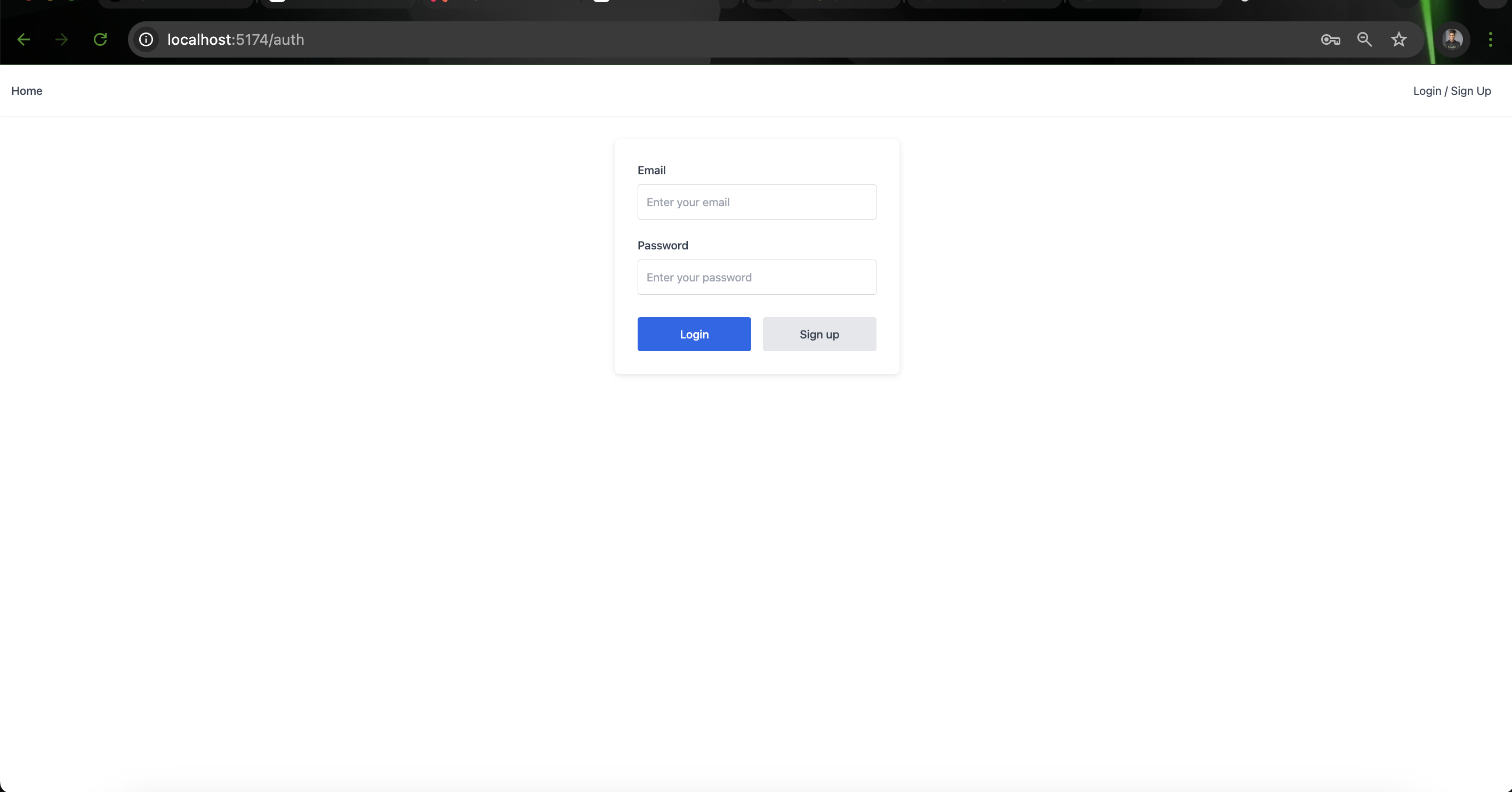
What’s Included
This authentication blueprint provides:
- 🔐 Server-side and client-side auth utilities
- 🚀 Server hooks for session management
- 🛡️ Protected route handling
- 🍪 Secure cookie management
- 📱 SSR-compatible authentication
This implementation uses Geobase’s SSR-compatible authentication helpers for optimal security and performance.
GitHub Repository
Authentication Patterns
Geobase Auth can be implemented in several ways:
-
Server-Side Authentication (Recommended)
- Tokens stored in cookies
- Protected API routes
- Server-side session verification
-
Client-Side Authentication
- Browser-based token storage
- Real-time subscription support
- Instant UI updates
Server-side auth is recommended for better security and SEO optimization.
Implementation
Client Setup
Create a browser client for client-side authentication:
// lib/geobase.ts
import { createClient } from '@geobase/ssr'
import { PUBLIC_GEOBASE_URL, PUBLIC_GEOBASE_ANON_KEY } from '$env/static/public'

export const geobase = createClient(
  PUBLIC_GEOBASE_URL,
  PUBLIC_GEOBASE_ANON_KEY
)
Server Hooks
Set up server-side authentication handling:
// hooks.server.ts
import { PUBLIC_GEOBASE_URL, PUBLIC_GEOBASE_ANON_KEY } from '$env/static/public'
import { createServerClient } from '@geobase/ssr'
import type { Handle } from '@sveltejs/kit'

export const handle: Handle = async ({ event, resolve }) => {
  event.locals.geobase = createServerClient(
    PUBLIC_GEOBASE_URL,
    PUBLIC_GEOBASE_ANON_KEY,
    {
      cookies: {
        get: (key) => event.cookies.get(key),
        set: (key, value, options) => {
          event.cookies.set(key, value, options)
        },
        remove: (key, options) => {
          event.cookies.delete(key, options)
        }
      }
    }
  )

  const {
    data: { session }
  } = await event.locals.geobase.auth.getSession()
  event.locals.session = session

  return resolve(event)
}
Protected Routes
Example of a protected route setup:
// routes/private/+page.server.ts
import { redirect } from '@sveltejs/kit'
import type { PageServerLoad } from './$types'

export const load: PageServerLoad = async ({ locals }) => {
  if (!locals.session) {
    throw redirect(303, '/auth/login')
  }

  return {
    user: locals.session.user
  }
}Always verify authentication status on both client and server side for maximum security.
Environment Setup
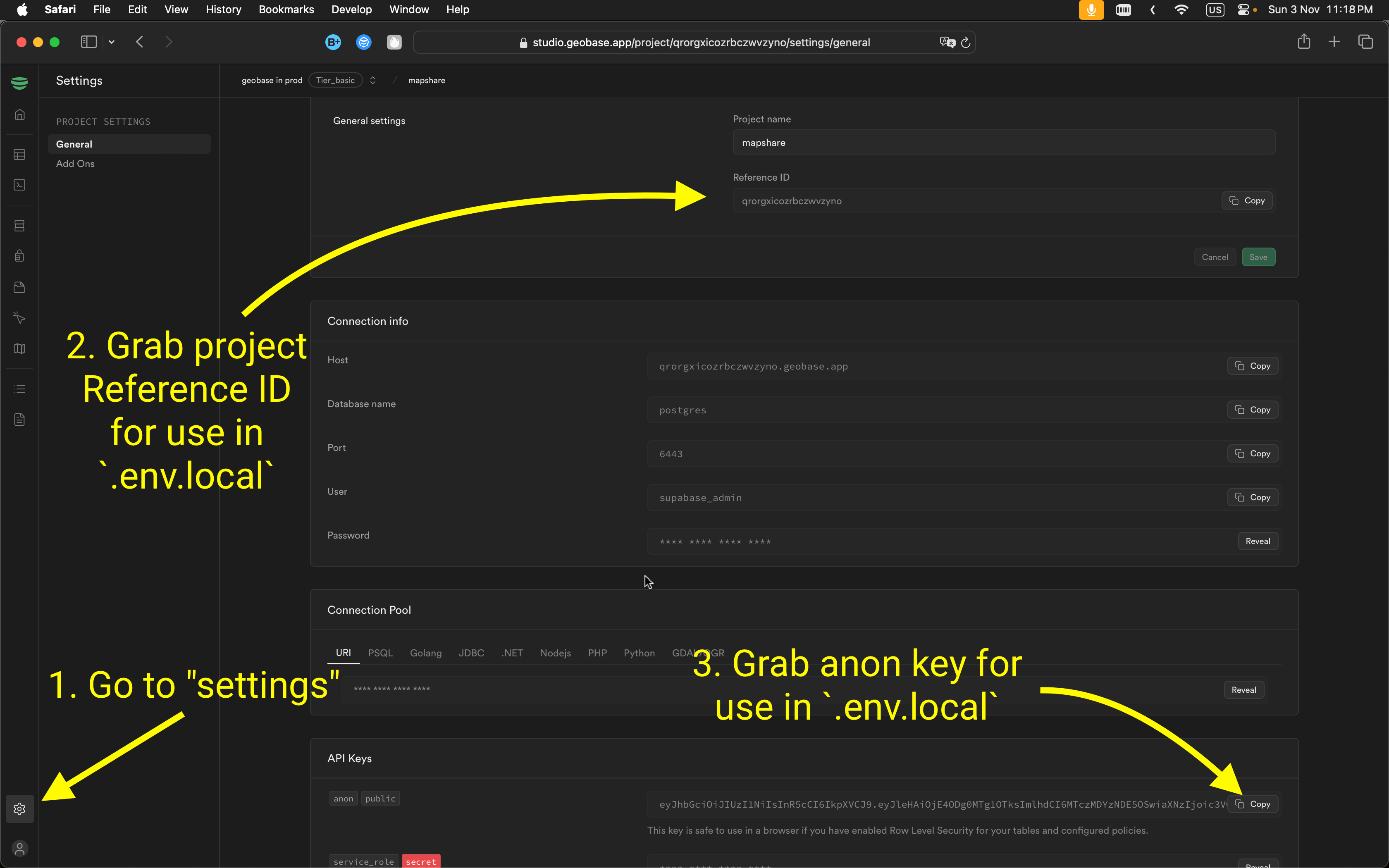
To connect your app to Geobase, configure these environment variables. Include them in a .env.local file for local development.
VITE_GEOBASE_URL=<Your Geobase URL>
VITE_GEOBASE_ANON_KEY=<Your Geobase Anon Key>
You can locate the project reference and anon key in your Geobase project settings.
Local Development
- Set Node.js version: Use Node version 21:
nvm use 21 - Install dependencies: Use your preferred package manager:
npm install # or yarn # or pnpm install - Start the development server with HTTPS enabled:
npm run dev --experimental-https
# or
yarn dev --experimental-https
# or
pnpm dev --experimental-https
Note: Without --experimental-https, the email verification links might redirect to https://localhost:5174/..., causing errors. You can navigate manually by removing https from the URL if needed.
Access the project at http://localhost:5174.
Best Practices
-
Cookie Management
- Always return the middleware response object as is
- Maintain cookie synchronization between browser and server
- Handle cookie operations carefully in Server Components
-
Session Handling
- Implement proper error handling for auth operations
- Use try-catch blocks for cookie operations
- Consider middleware refresh patterns for Server Components
-
Security
- Protect sensitive routes using middleware
- Implement proper redirect handling
- Maintain secure cookie handling practices
Learn More
For support and questions, join the Geobase discord community .